Nexgrill Oakford 875 Pro Manual: Startup, Shutdown, and Controller Guide
A pellet-specific owner's walkthrough for the 875 Pro - where the paperwork actually lives, how to prime the auger, the lid-open start, and the shutdown cycle that prevents most fire-pot problems.
In This Article
Where the Manual Lives
Lid-Open Start Sequence
Shutdown Is Mandatory
Your 875 Pro Is Assembled and the Paperwork Is Gone - Start Here
The hopper is full, the cart is level on the patio, and the little bag of hardware is empty - but somewhere between the driveway and the deck, the booklet disappeared. That is the exact situation this guide is written for. You do not need a model-identification walkthrough or a rating-plate decoding session; you need to know what the Oakford 875 Pro's documentation says about feeding pellets, lighting, and shutting down, plus how to run those sequences correctly from memory.
One reality check first: a plain search for "Oakford 875 Pro manual" frequently returns nothing model-specific. Nexgrill publishes its materials on the product page rather than on a public manual library, and retailer listings change tabs without notice. So treat the document hunt as a short, ordered procedure rather than a single search - and treat the operating sequences below as the part of the manual that actually matters on cook day.
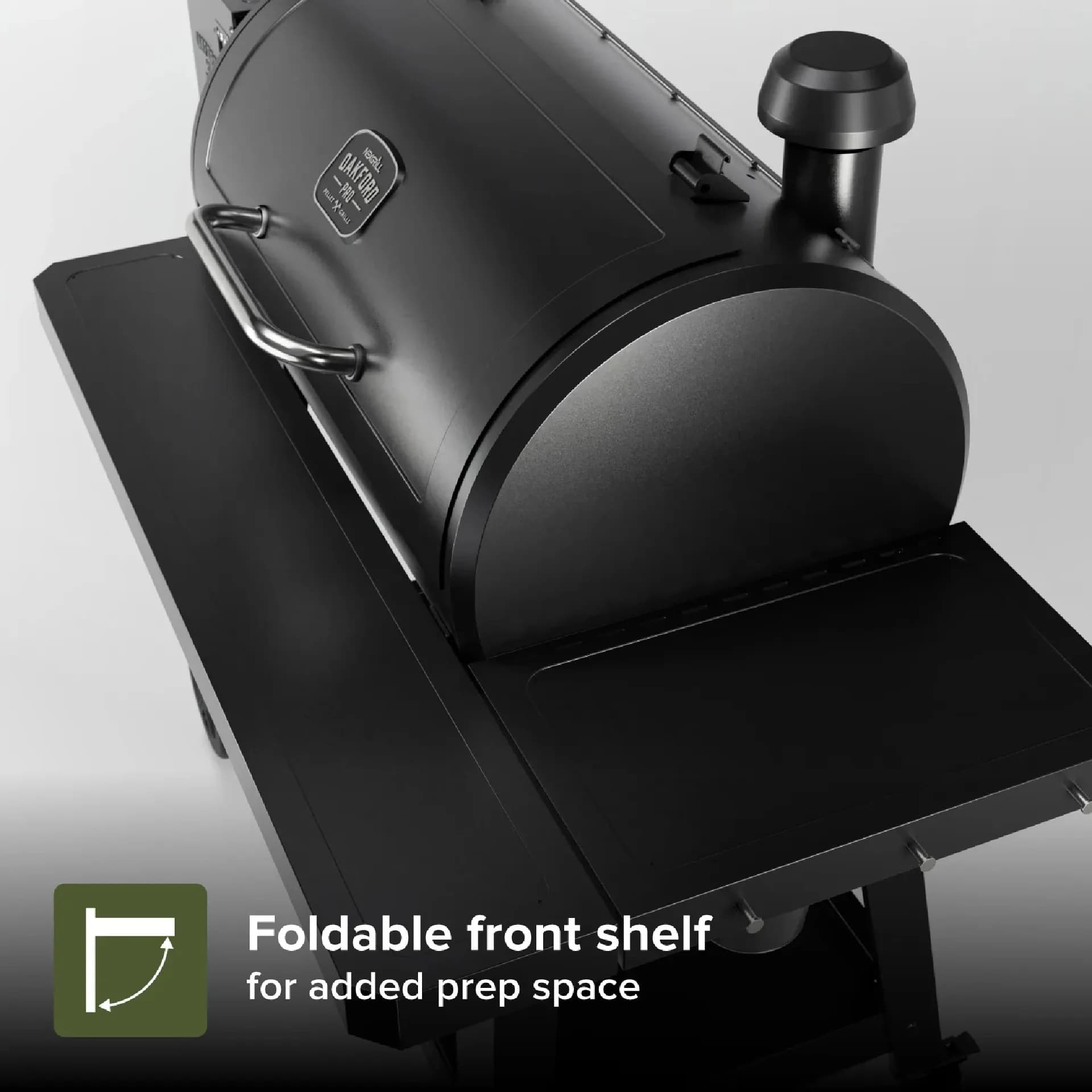
The 875 Pro ships with a fitted cover included - a detail that separates it from the larger Oakford 1125 Pro and from most neighbouring models. If your box had one, you already have everything the paperwork promised except the paper itself.
What the Oakford 875 Pro Actually Is (and What Its Manual Covers)
The Oakford 875 Pro is a pellet smoker-grill in Nexgrill's Oakford Pro line, built around a digital controller that meters pellet feed from the hopper into a fire pot, where a hot-rod igniter lights them and a fan drives heat and smoke through the chamber. That architecture defines what the manual spends its pages on: assembly torque values, hopper and auger priming, the startup sequence, controller set-point behavior, the shutdown cycle, and cleaning of the fire pot and temperature probe. Assembly pages are one-time use. The startup, shutdown, and probe-cleanliness pages are the ones you will re-read - which is why losing the booklet hurts more in month three than in week one.
Before You Light Anything: The Five-Minute Pre-Start Checklist
Do these five things before the first ignition of any session. They are the difference between a clean start and a smoky, stalled one.
- Empty and inspect the fire pot. Ash and leftover pellets from last week choke airflow. Scoop them out with the pot cool.
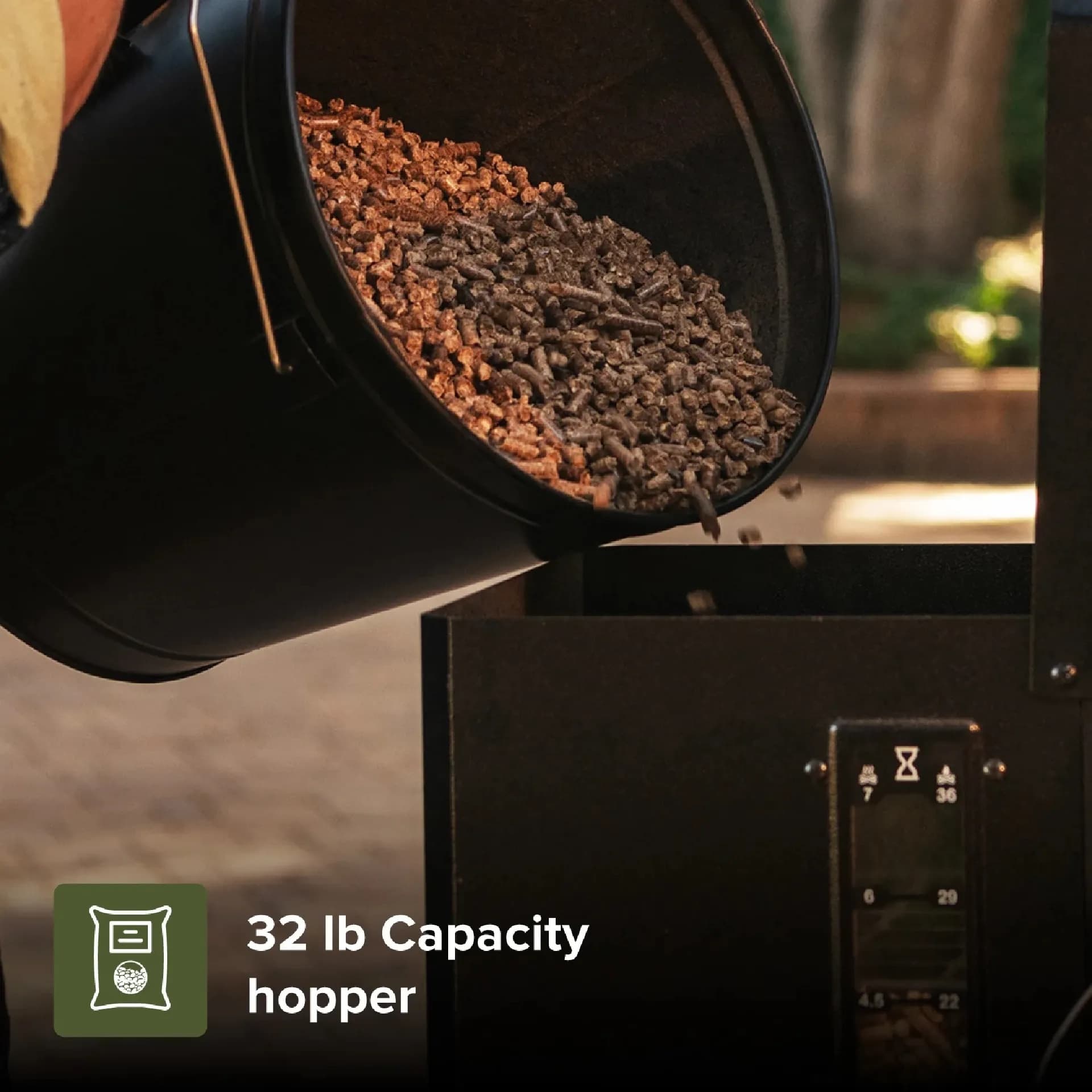
- Check pellet condition. Dry, firm pellets only. Swollen or dusty pellets jam the auger - the single most common pellet-grill failure.
- Confirm the grease tray is seated. A misaligned tray blocks heat flow and creates hot spots.
- Wipe the RTD probe. The temperature sensor inside the chamber collects smoke residue; a coated probe reads low and the controller overfeeds pellets chasing a temperature it cannot reach.
- Verify the lid gasket and latches sit flat. Air leaks make the controller work harder and lengthen recovery time.
Never store pellets in the hopper through a humid week. Clumping pellets fed into the auger are the leading cause of hard starts and jammed augers on any pellet smoker.
Step 1: Pull the Right Documents From Three Real Sources, In This Order
Work through these in sequence and stop at the first hit.
| Order | Source | What to Look For |
|---|---|---|
| 1 | The 875 Pro product page on nexgrill.com | Resources, manuals, or support-document tab embedded on the listing |
| 2 | The retailer's listing for your exact SKU | A "Guides & Documents" or "Specifications" tab - confirm the link loads before relying on it |
| 3 | Nexgrill customer support | Request the PDF by model and, if you have it, serial number |
If neither the product page nor the retailer tab carries the file, contact support with your model number and a photo of the rating label. That is faster than hunting an unofficial mirror of a manual you cannot verify is current.
Step 2: Prime the Auger Before Your First Cook
A brand-new auger tube is empty, so the controller's first ignition attempt can time out before pellets reach the fire pot. Priming fixes that: fill the hopper, then run the controller through its feed or prime function - on most Pro-series controllers that is holding the power or feed control for several seconds while the auger turns - and watch until you hear pellets dropping into the pot. Stop there. Over-priming is its own problem, because a pot packed with pellets before ignition can smolder and produce a heavy, dirty start.
Step 3: The Lid-Open Start - The Sequence Owners Most Often Get Wrong
Start with the lid open. The controller feeds and ignites pellets while the chamber is open, which lets the initial surge of combustion gases escape instead of pressurizing the chamber. Leave it open until you see a steady flame and clean smoke rising from the pot - typically a few minutes - then close the lid and set your temperature. Closing too early traps gas and can produce a sharp pop, and it gives the controller a false temperature signal while the pot is still catching.
Set temperature in increments on the digital controller rather than jumping straight to 400°F+. Incremental set-points let the auger feed stabilize and reduce overshoot during warm-up.
Step 4: The Burn-Off Cook That Comes Before Any Food
Manufacturing oils coat the cooking chamber and grates on arrival. Run the empty grill at high heat - roughly 450°F, or the HIGH setting - for about 30 to 45 minutes, lid closed, with nothing on the grates. This burns off residues and starts seasoning the metal. Expect some smoke and an odor during this first burn; that is normal. Let the grill cool, wipe the grates, then cook.
Try Comparing Two Products Side by Side Below to See Which Fits Best
Once you have the startup sequence down, the next question is whether the 875 Pro is the right size for how you cook. Use the comparison tool below to weigh it against another Oakford or a different Nexgrill model on capacity, cover inclusion, and intended use.
Once You've Weighed Two Options Against Each Other, Here's What Else Matters
Comparing two grills narrows the model question, but the operating habits decide whether either one performs. On a pellet smoker, the habits that matter most are shutdown discipline and controller literacy - the two things the missing manual would have taught you.
The Shutdown Cycle: Why Skipping It Causes Next-Weekend Problems
End every cook with the controller's shutdown or cool-down cycle. During shutdown, the controller stops feeding pellets and runs the fan to burn off what remains in the pot. Skip it and you leave a bed of unburned pellets sitting in the pot; next session, fresh pellets feed on top of that bed, and the pot overflows. The symptoms are familiar: a hot, smoky start, a fire that will not climb to temperature, or a hard start that times out. It costs minutes at the end of a cook and prevents most fire-pot problems.
If the grill lost power mid-cook, do not restart by adding pellets and hitting ignite. Clear the pot first - the shutdown cycle never ran, and the pot is full of unburned fuel.
Controller and RTD Behavior: Reading What the Display Is Telling You
The Pro-series controller is reacting to one input: the RTD probe inside the chamber. When the display shows a temperature that stalls well below your set-point, the controller is already feeding at maximum - the problem is usually a dirty probe, a depleted hopper, or a blocked pot, not a faulty board. A reading that swings wildly in short intervals points to probe residue or a loose probe connection. Clean the probe with a soft cloth after each cook and check that it sits clear of the grates and grease tray. If the display shows an error code, note the exact code before contacting Nexgrill support - codes map to specific fault paths and support can interpret them from the model number.
Five Pellet-Specific Mistakes That Cause Bad Cooks on the 875 Pro
- Closing the lid during ignition. Traps gas and gives a false temperature reading.
- Skipping the cool-down. Leftover pellets overflow the pot and cause hard starts.
- Loading damp pellets. Swollen pellets jam the auger; buy in sealed bags and store dry.
- Cooking on a dirty RTD probe. The controller chases a phantom temperature and overfeeds.
- Jumping set-points in one step. Large jumps overshoot and stress the feed cycle; step up in increments.
| Spec | Oakford 875 Pro | Oakford 1125 Pro |
|---|---|---|
| Cooking capacity | Mid-size (approx.; confirm spec sheet) | Larger (approx.; confirm spec sheet) |
| Cover included | Yes - ships with a fitted cover | Confirm on the product listing |
| Best use case | Weeknight smoking, small gatherings, second grill | Weekend brisket, larger parties |
Which Oakford Pro Fits You: Weeknight Smoker, Weekend Brisket, or Dedicated Second Grill
Be honest about your cook volume and pick accordingly.
- Casual weeknight smoker: The 875 Pro is enough - it handles chicken, ribs, and a pork butt without oversizing your footprint, and the included cover protects it year-round.
- Weekend brisket cook: Step up to the Oakford 1125 Pro if you regularly smoke full packers or feed a crowd; the larger chamber gives you room the 875 Pro does not.
- Gas-grill owner adding a smoker: The 875 Pro works as a dedicated second unit beside your gas grill - pellet smoke for low-and-slow, gas for fast weeknight searing.
What to Do If You Inherited an 875 Pro With No Paperwork at All
A used or gifted 875 Pro with no manual and no box still runs on the same sequences above. Before the first cook, empty the fire pot, inspect the auger for jammed pellets, wipe the RTD probe, and confirm the controller powers on and cycles through set-points. Then run a 30-45 minute high-heat burn-off to clear whatever the previous owner left behind. If the controller shows a fault you cannot clear, pull the model and serial from the rating label and reach out to support - the label sits on the rear of the cart on most Oakford units. Browse the full Nexgrill product lineup to confirm parts and compatible accessories.