Nexgrill Oakford 1125 Pro Manual: Your First Cook, Step by Step, Without the Paperwork
Lost the manual? Here’s how to run your 1125 Pro from unboxing to shutdown-using the controller’s own logic and Nexgrill’s support channels.
In This Article
Controller Confidence
First Cook Roadmap
Shutdown & Storage
Your Nexgrill Oakford 1125 Pro is assembled and the pellet hopper is full, but the manual disappeared with the packaging. You want to cook this weekend. Here’s a practical walkthrough that turns the controller’s logic and Nexgrill’s support resources into your de facto manual.
Your Oakford 1125 Pro Is Ready-But the Manual Isn’t: Start Here
The Oakford 1125 Pro is a wood-pellet smoker designed for low-and-slow barbecue, and its manual covers safe fueling, startup, shutdown, and basic troubleshooting. If the paper copy is missing, you can reconstruct the essential sequence by watching the controller’s behavior and using Nexgrill’s support contact page to request a replacement. Start by clearing a flat, non-combustible surface at least 10 feet from walls or railings. Gather a shop vac, a wire brush, a small adjustable wrench, and a fresh bag of hardwood pellets (avoid blends with high oil content). You’ll also need a digital probe thermometer-the 1125 Pro’s controller monitors pit temperature, but internal meat temperature is your responsibility.
What the 1125 Pro Manual Actually Covers (and What Lives on the Product Page)
The printed manual for the Oakford 1125 Pro typically includes assembly diagrams, a parts list, controller functions, startup and shutdown procedures, maintenance intervals, and a troubleshooting chart. What it does not include is a live inventory of current accessory packages or the latest firmware notes-those live on the product page. Treat the manual as a safety and sequence document; treat the product page as a specification and compatibility reference. If you must choose which to read first, read the manual’s safety section, then use the product page to confirm hopper capacity, grate dimensions, and included accessories.
If your manual revision number is printed on the cover, quote it when contacting Nexgrill. Support can send a PDF matching your exact revision, which matters because controller menus and safety warnings can change between production runs.
Before You Push Any Buttons: A 10-Minute Prerequisite Checklist
Run through this checklist before you touch the controller. A missed step here causes most first-cook problems.
- Remove all packing tape, zip ties, and foam from the fire pot, auger tube, and hopper.
- Confirm the ash cleanout door under the fire pot is closed and latched.
- Check that the grease tray is seated and the drip bucket is in place.
- Verify the hopper has no leftover pellets from shipping-if present, empty and inspect for dust or debris.
- Plug the controller into a grounded, outdoor-rated outlet; avoid extension cords longer than 25 feet.
- Ensure the lid opens and closes freely and the lid gasket (if equipped) is intact.
A quick visual pass inside the cooking chamber will also reveal any loose hardware or protective film left on the temperature probe or grease chute.
Step 1: Confirm Your Model and Grab the Right Revision (Without the Paperwork)
Look for the data plate-usually on the back of the hopper or the leg crossmember-and copy the model and serial number exactly. The model should read “Oakford 1125 Pro” or a corresponding SKU. Then visit Nexgrill’s all products page and search for the 1125 Pro listing; the product page often links to a downloadable manual. If no PDF appears, contact support with your serial number and request the correct revision. Do not substitute a manual from a different Oakford model-hopper and auger designs differ.
Step 2: Load Pellets and Prime the Auger the Right Way
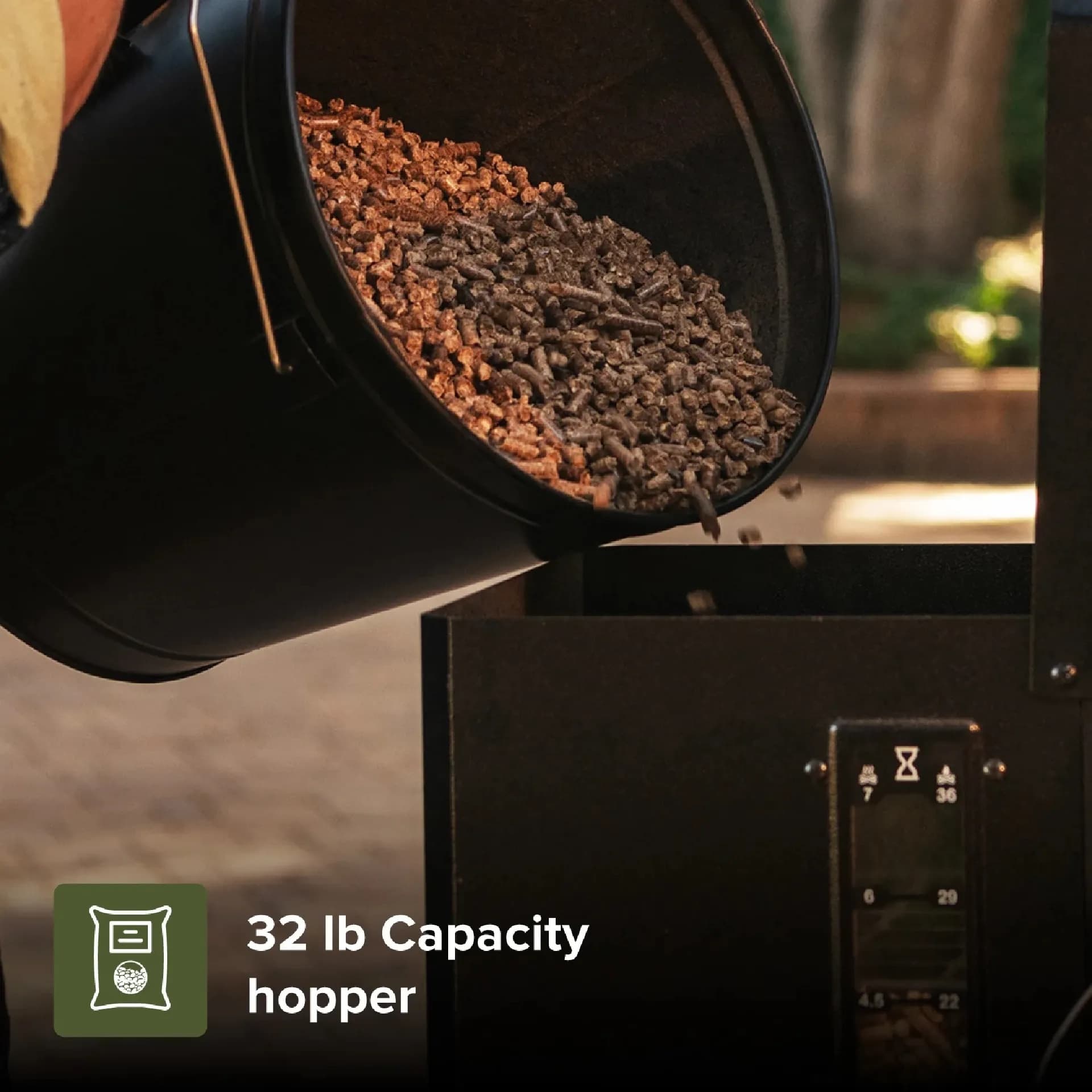
Fill the hopper with fresh pellets, leaving a small gap below the rim. Never use pellets that have been exposed to moisture; they swell and jam the auger. To prime, set the controller to Smoke or the lowest temperature setting and let it run for 3-5 minutes. You should hear the auger motor turn and see pellets begin to drop into the fire pot. If nothing moves after two minutes, turn off the grill and check the auger for a jam-a common cause is a foreign object or compacted pellet dust. Once pellets are flowing, turn the controller off and clean any excess pellets from the fire pot before the first burn-off.
Step 3: The Lid-Open Start-Why It Matters and How to Do It
Pellet grills can produce a large initial flame during ignition. The lid-open start prevents a pressure build-up of unburned gas from a delayed ignition. Here’s the sequence: open the lid, set the controller to Smoke (or the startup mode described in your manual), wait 30-60 seconds for the igniter to heat and pellets to begin smoking, then close the lid once you see wisps of smoke rising from the fire pot. If no smoke appears within 90 seconds, some manuals advise turning the controller off, removing pellets from the fire pot, and starting again-confirm the exact ignition window in your manual revision.
Never close the lid during ignition and walk away. A delayed ignition can cause a sudden flare-up, and the lid-open method gives you visual confirmation that combustion has started.
Step 4: Set Your Temperature and Hold It (Without Chasing Dial Numbers)
After ignition, set your target temperature-225°F for low-and-slow, 350°F for roasting. Give the grill 15-20 minutes to stabilize; the controller cycles the auger to maintain temperature, so minor swings are normal. Use a separate probe to verify the pit temperature near the grate. If the displayed temperature differs from your probe, check the controller’s calibration setting in the manual, or simply note the offset and adjust your target accordingly. Most importantly, resist the urge to open the lid repeatedly; each opening drops the chamber temperature and extends cook time.
With these four steps, you’ve effectively recreated the startup portion of your missing manual. Next, we’ll cover shutdown, maintenance, and troubleshooting so your 1125 Pro stays reliable beyond the first cook. Try comparing two products side by side below to see which fits best-once you’ve weighed two options against each other, here’s what else matters.
Once you’ve compared two pellet smoker options, the difference often comes down to how well you understand the shutdown and maintenance routine. The Oakford 1125 Pro is built for long cooks, but neglect after the cook is what shortens its life. Here’s the rest of the operational picture.
The Shutdown Cycle: Why You Can’t Just Kill the Power
After cooking, set the controller to its shutdown or fan mode (usually labeled “Shutdown” or “Cool Down”). This runs the fan to burn off excess pellets in the fire pot and prevents a smoldering fire that could damage components or create a safety hazard. The cycle typically lasts 10-15 minutes. Do not unplug the grill or flip the power switch off during this time. Once the cycle completes, close the lid and let the grill cool completely before cleaning.
Skipping the shutdown cycle is the leading cause of auger fires and jammed feed tubes. Always let the controller finish its programmed cooldown.
Ash Cleanout and Fire-Pot Maintenance: The 15-Minute Habit
After every 2-3 cooks, empty the ash cleanout drawer and vacuum the fire pot with a shop vac once the grill is cold. Ash buildup restricts airflow, which leads to temperature swings and flame-outs. Also inspect the fire pot for pellet clinkers-hard, glassy deposits that can block the igniter. Use a wire brush to scrape them loose. The grease tray should be emptied and washed with warm soapy water; built-up grease can cause flare-ups. Check the product page for specific cleaning recommendations if your manual is missing.
Pellet Storage: Keep the Fuel Dry and the Auger Happy
Pellet quality directly affects controller performance. Store pellets in an airtight container or the original sealed bag, away from humidity. In humid climates, consider using a pellet hopper extension with a lid to keep moisture out during long cooks. Never mix old and new pellets without inspecting for dust; fine dust can clog the auger. If you live in a coastal area, a dehumidifier in the storage shed is a worthwhile investment.
Common First-Cook Problems: A Symptom-to-Fix Table
| Symptom | Likely Cause | Fix |
|---|---|---|
| Flame-out (fire goes out mid-cook) | Auger jam, empty hopper, or ash-clogged fire pot | Turn off, clear auger and fire pot, refill pellets, restart with lid open |
| Auger not feeding pellets | Moisture-swollen pellets or foreign object in auger tube | Empty hopper, inspect auger, remove jam, use fresh dry pellets |
| Temperature swings >25°F | Wind, lid opened frequently, or dirty temperature probe | Move grill to windbreak, limit lid openings, clean probe with damp cloth |
| Excessive smoke (white, acrid) | Wet pellets or insufficient airflow | Replace pellets, check fire pot for ash, ensure exhaust vents are clear |
| Controller displays error code | Various sensor or ignition faults | Consult your manual’s error code list or contact Nexgrill support with the code |
If a problem persists after basic troubleshooting, Nexgrill’s contact page is the fastest route to a replacement part or technical guidance. Have your serial number and a photo of the controller display ready.
Which Option Suits You? Matching the 1125 Pro to Your Cooking Style
The 1125 Pro is a mid-to-large pellet smoker suited to backyard cooks who want set-and-forget temperature control for brisket, ribs, and pork shoulder. If you frequently host 10+ guests, its grate capacity is an advantage; if you mostly cook for two, a smaller Oakford model may be more fuel-efficient. For those who want the versatility of direct-flame grilling alongside smoking, a pellet grill with a sliding heat deflector (found on some Oakford models) is worth considering. Budget-conscious buyers should factor in pellet cost-roughly $15-$25 per 20 lb bag at U.S. retailers-and the occasional replacement of the igniter or temperature probe.
Before your first overnight cook, run a 2-hour test at 225°F with a water pan to learn your grill’s temperature offset and fuel consumption. This dry run prevents surprises when you’re cooking for guests.
Finally, remember that safe food handling is part of the manual’s intent. Use a digital thermometer to confirm doneness: poultry to 165°F, ground meats to 160°F, and whole cuts of pork or beef to at least 145°F with a 3-minute rest, per USDA FSIS guidance. With a disciplined startup, shutdown, and cleaning routine, your 1125 Pro will deliver consistent results even without the paper manual.